Attendance, Smart Nudges, & Payments Release Notes - April 2026
This month, we’re rolling out updates that bring more clarity, confidence, and connection to your day-to-day workflows.
This includes a newly renamed student app that unifies the Portico experience, smarter nudge targeting, real-time milestone notifications, and streamlined weekly summaries. Together, these enhancements help your team stay aligned, reduce guesswork, and keep both staff and students better informed at every step
TABLE OF CONTENTS
- New Student App Name
- Smart Nudge Audience Preview
- New In-App Notification for Course Hours Milestone
- Program Recipients for Weekly Summary Emails

New Student App Name
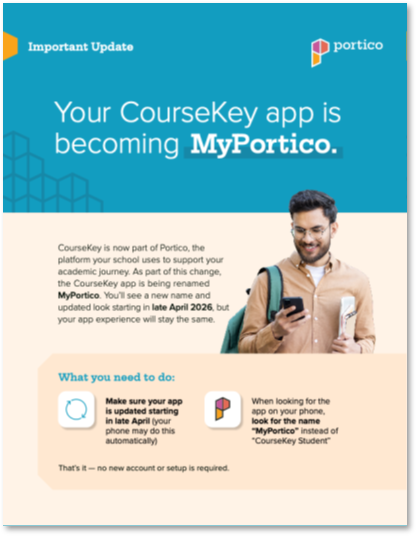
The CourseKey Student App has been renamed MyPortico. Learn more here.
What Is It
The "CourseKey Student" mobile app for attendance, skills, payments, and more has been renamed "MyPortico" and updated with Portico branding. This is a naming and visual update only, aligning the student app with the broader Portico platform. App login information, data, features and functionality have not changed.
Who It’s For
Students currently using the Student App for attendance, skills, nudges and/or payments. Faculty and staff should also be aware.
Problem Solved
Coursekey is now part of Portico, and as our tools evolve and add functionality it will be important to make the names and branding match to avoid confusion.
Why It Matters
Students and staff should be aware of the new app name and branding—and continue using it as . Aligning the app name with the Portico brand creates a more consistent and unified experience across the platform, and sets the stage for more Portico features and tools to be added in the future.
What Schools Should Do
To ensure a smooth transition and avoid confusion, schools should:
- Inform students that the CourseKey Student app is now called MyPortico
- Inform faculty and staff of the name change
- Update any materials that reference “CourseKey Student,” including:
- Orientation materials
- Student guides and instructions
- LMS announcements
- Screenshots and training content
- Posters or printed materials
Download materials and learn more at: https://welcome.porticoedu.com/MyPortico
Details
- App name updated to MyPortico in iOS and Android app stores
- Updated app icon and branding
- No changes to core functionality for legacy CourseKey users
- No changes to login credentials, data, or user experience
- App will update automatically or prompt users to update, depending on device settings
Smart Nudges
Smart Nudge Audience Preview
Confirm before you send with Nudge Audience Preview
What Is It
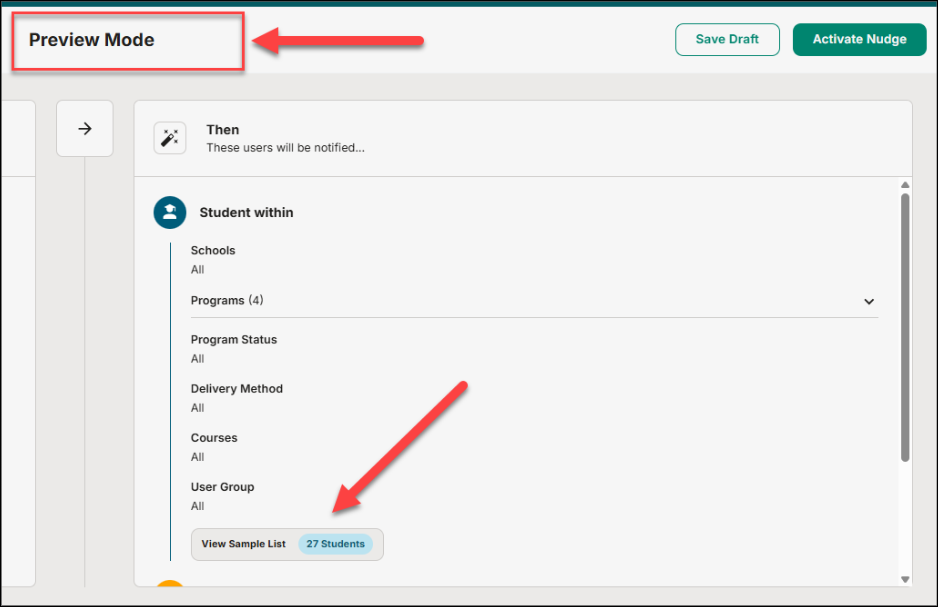
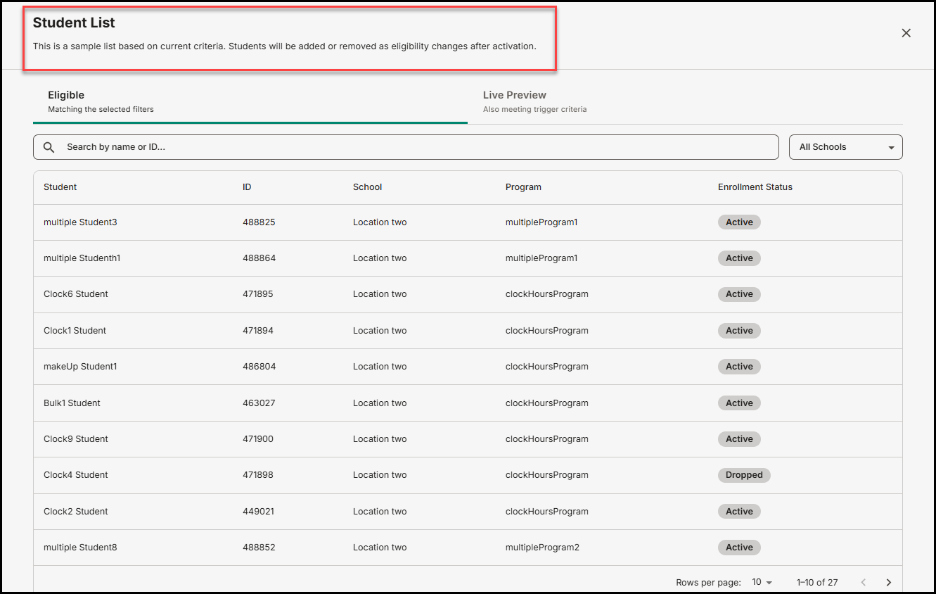
Before sending a student nudge, admins can now preview the full list of students who will receive it based on the current settings.
Who It's For
Admins who configure and send student nudges.
Problem Solved
There was no way to verify that nudge settings were targeting the right group before sending -- admins had to trust that the configuration was correct.
Why It Matters
Audience Preview gives admins confidence that nudges are reaching the right students before anything goes out, reducing the risk of misconfigured sends.
Details:
- Preview the audience list directly from the nudge configuration screen
- Review results before confirming the send
- Catch targeting errors early without test sends
Attendance
New In-App Notification for Course Hours Milestone
Students now get notified when they hit their course hours goal.
What Is It
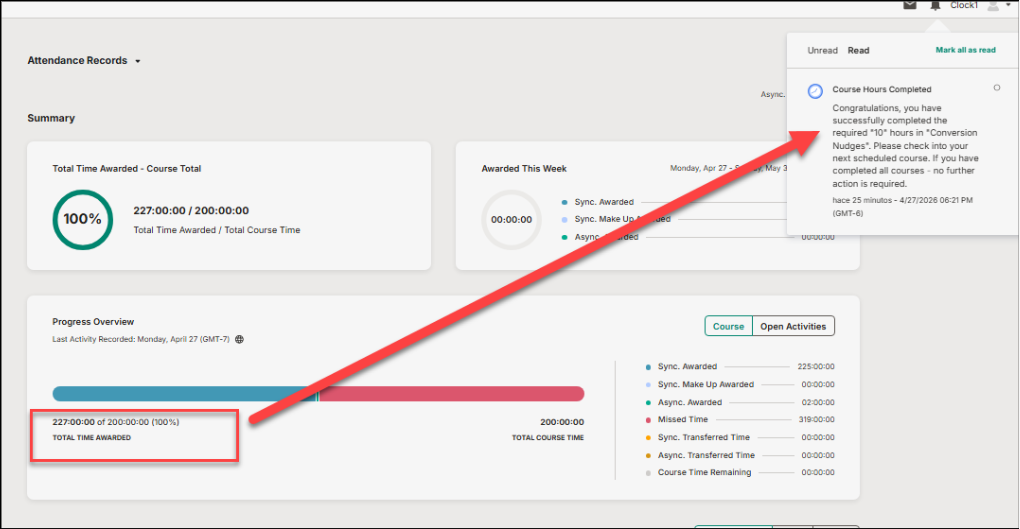
Students receive an in-app notification when they are awarded the total course hours set for their program.
Who It's For
Students tracking progress toward their course hour requirements.
Problem Solved
Students had no real-time signal that they had reached their course hours milestone -- they had to check manually or find out through other means.
Why It Matters
This notification gives students a clear, timely acknowledgment of a meaningful milestone in their program progress, keeping them informed without any extra effort on staff's part.
Details:
- Notification appears in-app when a student is awarded their total course hours
- Informational -- no action required from the student
- Triggered automatically based on the course hours setting
Skills Tracker
Program Recipients for Weekly Summary Emails
Keep the right people in the loop with program-level weekly email recipients
What Is It
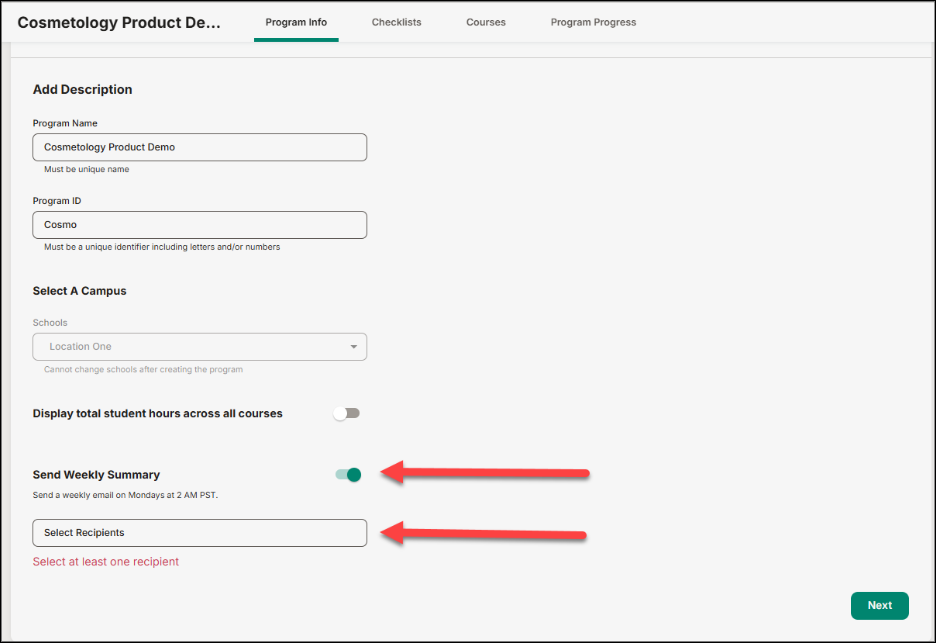
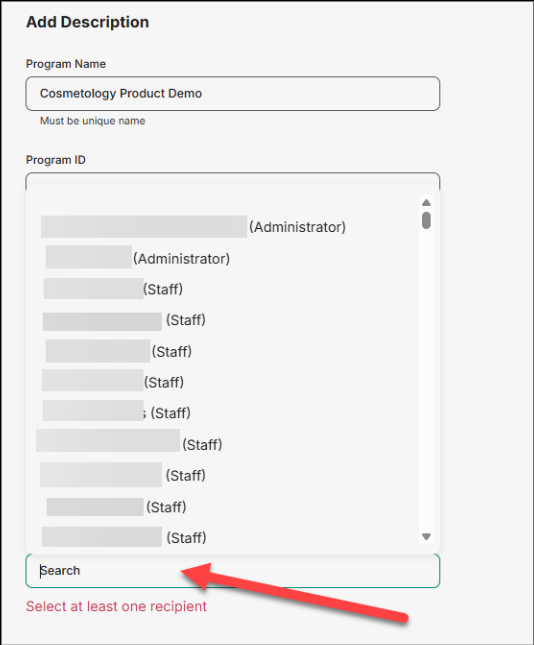
Admins can now enable a Weekly Summary email per program and select exactly which recipients should receive it -- all from within program settings.
Who It's For
Admins who manage program settings.
Problem Solved
Admins had no way to receive a recurring email reminder to review and approve pending skills -- follow-up on approvals depended on manual check-ins.
Why It Matters
The Weekly Summary keeps admins on top of pending skill approvals without having to remember to log in and check. Fewer things fall through the cracks.
Details:
- Toggle on "Send Weekly Summary" within program settings
- Add one or more recipients to receive the email for that program
- Configured per program, so the right people get notified for the right programs
- Helps ensure pending skill approvals don't go unreviewed

We’d love to hear from you and your colleagues about product feedback or what you'd like to see next.
Sign up to participate in future product feedback sessions or early design reviews.
Was this article helpful?
That’s Great!
Thank you for your feedback
Sorry! We couldn't be helpful
Thank you for your feedback
Feedback sent
We appreciate your effort and will try to fix the article