Meet the New Portico Financial Aid Support Agent
Get Faster Answers — Right Inside CORE
Key Takeaways
|
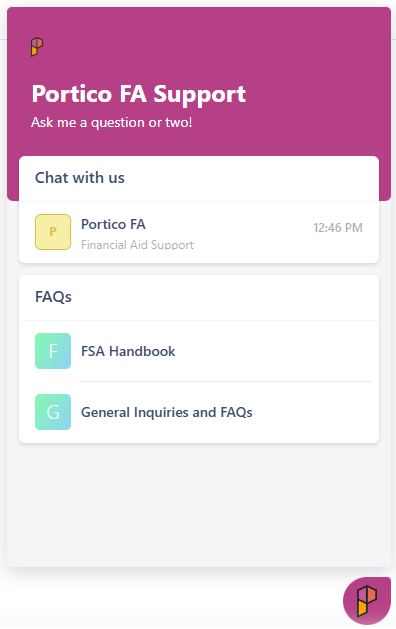
We're excited to announce the launch of the new Portico FA Support Agent, now available directly within CORE.
The FA Support Agent is designed to help you quickly find answers to questions about the platform, financial aid processes, and common workflows—without leaving your work. Simply click the floating "P" icon in the corner of your screen to get started.
Most importantly, this new tool is not replacing your Portico team. Your Account Manager, Support Team, Managed Services team, and Help Center remain available just as they are today. The Support Agent is simply another option to help you get answers faster whenever you need them.

What You Need to Know
✅ A new Financial Aid Support Agent is now available in CORE
The Support Agent can help answer questions about:
- CORE functionality and features
- Financial aid processes and workflows
- Common how-to questions
- Best practices and troubleshooting guidance
✅ The Support Agent is available right where you work
Look for the floating "P" icon in the lower corner of CORE.

✅ You can still contact Portico Support
Nothing is changing about the people behind your support experience.
You will continue to have access to:
- Portico Financial Aid Support
- Your Account Manager
- Managed Services (if applicable)
- The Portico Help Center and documentation
The Support Agent simply provides another way to get help — often instantly.
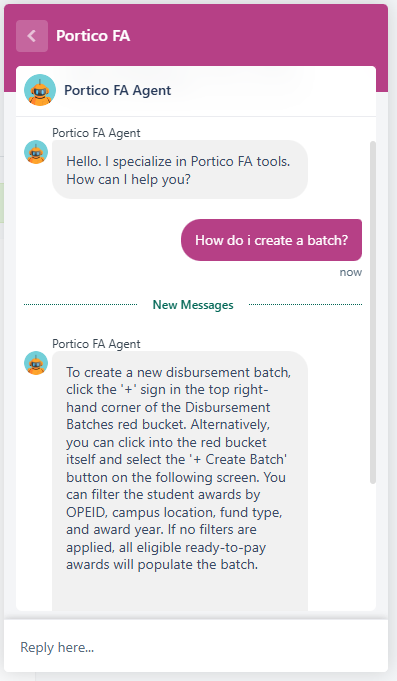
How the New Support Experience Works 
When you click the "P" icon, you'll have several options available in one place:
- Ask the Support Agent: Type your question into chat and receive immediate answers based on Portico's product knowledge and support resources.
- Submit a Support Ticket: Need additional assistance? You can create a support ticket directly from the Support Agent window.
- Visit the Support Portal: Access the Portico Support Portal and Help Center resources from the same location.

Old Support Link Going Away (July 2026)
Beginning in July 2026, the existing "CI Support" link in the CORE header will be retired.
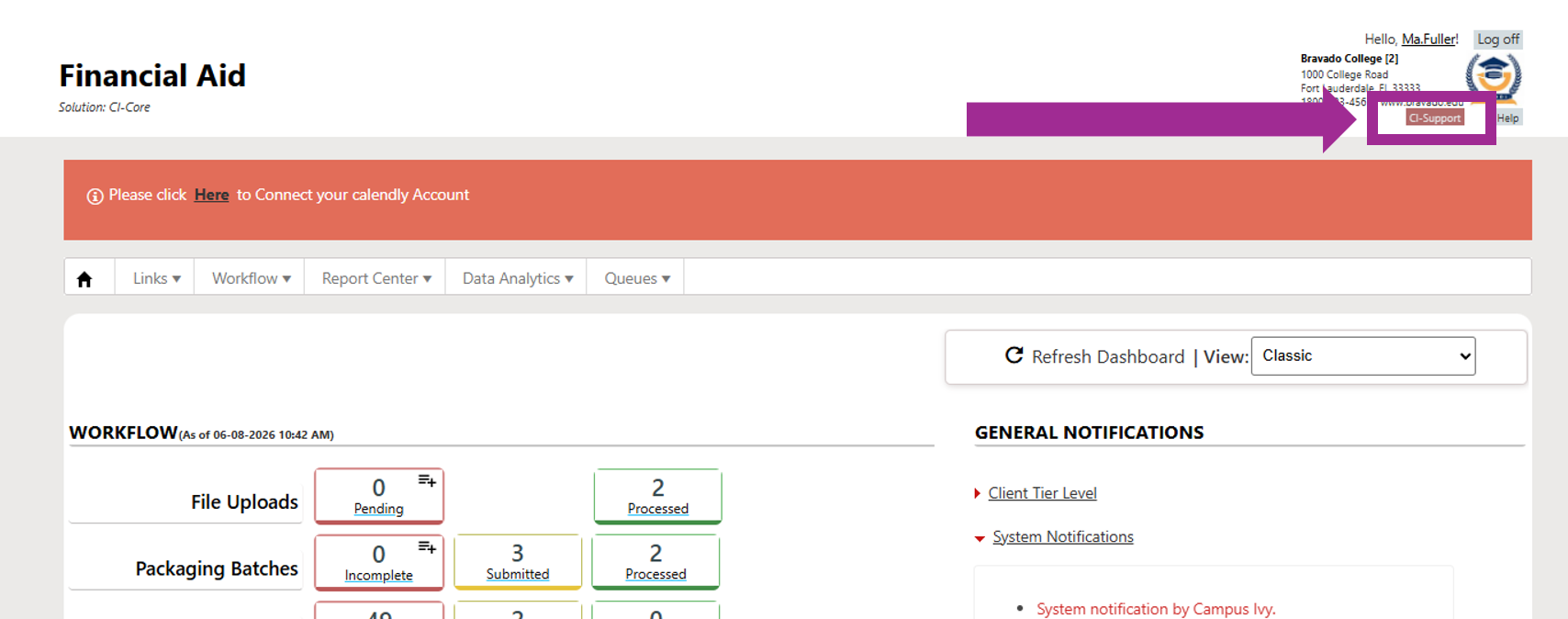
Instead of using the header link (seen above), you'll access support by clicking the floating "P" icon within CORE. The support resources themselves are not going away—only the location is changing.
| Before | Starting July 2026 |
Click the "CI Support" link in the CORE header | Click the floating "P" Support Agent icon to:
|
Everything you need for support will be available from this new location.

Why We Added the Support Agent
The new Support Agent helps make support more accessible by providing:
- Faster answers to common questions
- Help without leaving your current screen
- Easy access to support resources
- A simple path to submit tickets when needed
It's designed to complement—not replace—the personalized support you receive from Portico today.

We're Still Here to Help!
Our commitment to supporting your team has not changed.
The Financial Aid Support Agent is simply a new tool in your toolkit, helping you find answers more quickly while continuing to provide access to the same Portico experts, support resources, and personal assistance you've always relied on.
Look for the "P" icon in CORE and give it a try!
Was this article helpful?
That’s Great!
Thank you for your feedback
Sorry! We couldn't be helpful
Thank you for your feedback
Feedback sent
We appreciate your effort and will try to fix the article