Portico Financial Aid Release Notes - November 2025
This month brings three powerful enhancements—all focused on making the Prior Year ISIR Comparison Tool, Bank Statement UI, and Funding Estimate Change History even more transparent, efficient, and compliant.
- Prior Year ISIR Comparison Tool — Quick tool located on the students funding estimate that give the user a look back into the prior FAFSA year.
- Bank Statement UI Update — Let’s get precise with our submission by leveraging the UI to get the system the knowledge it needs.
- Funding Estimate Change History — catalog each action that takes place on the funding estimate as your financial aid team packages a student. Take a peek behind the curtain to make sure that things are being done the right way so that we all win.
Collectively, these enhancements reduce manual workload, increase time savings, and improve compliance visibility across Portico—empowering more streamlined financial aid and reconciliation operations.

Feature Highlight: Prior Year ISIR Comparison Tool
Looking back to look forward
Overview
This release introduces a Prior Year ISIR lookback the existing fields such as: Dependency Status, Has Bachelor's Degree, Agg. Unsub. Total, Agg. Sub. Total, Packaging Mode, Pell L.E.U., Primary EFC info, Student Aid Index (SAI), Transaction Number Award Year and Prior Pell Used in Award Year.
However, we have now introduced 3 additional fields for deeper insight, they are:
- HS Diploma Status: A quick way to confirm nothing changed that would affect basic eligibility. Good for compliance conversations.
- AGI (Adjusted Gross Income): The big one. AGI changes are often the root of Pell shifts or dependency questions. This saves reviewers from hunting through old ISIRs.
- Grade Level: Loan eligibility can jump or drop year-to-year based on grade level changes. This helps schools confirm packaging logic at a glance.
Why This Matters
- This helps you immediately spot what changed, keep packaging accurate, and advise students without digging through multiple ISIR’s
- It’s especially useful for shifts in dependency status, AGI, grade level, or situations where eligibility suddenly looks ‘off’.
Request a set up
Contact a customer support rep or your account admin to set up the view. Your admin turns into this feature where you can view all three or just the one you really use daily.
How to view once configuration has been applied
The default view will always be available whether you request a configuration addition or not, see below:
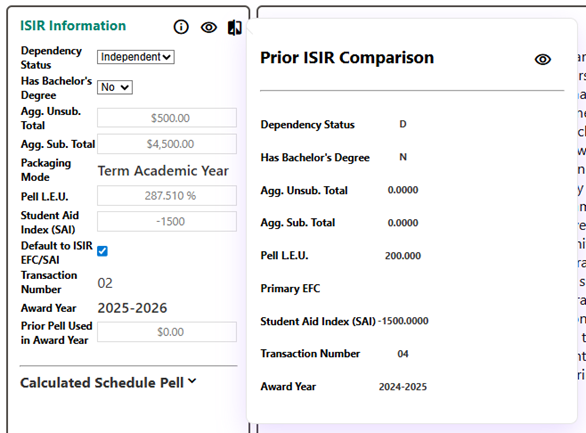
After Configuration has been applied.
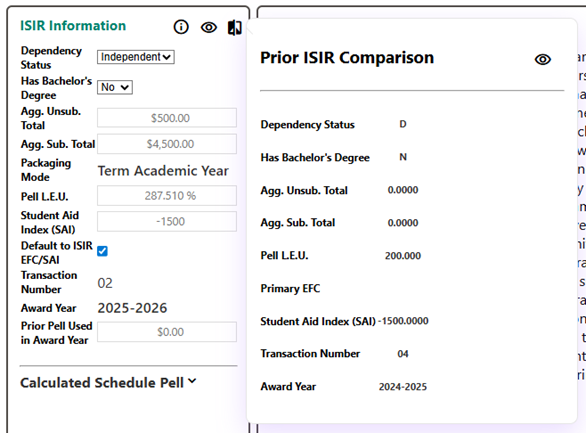
See the new fields present in the side panel allowing for easy accessibility while packaging any student.
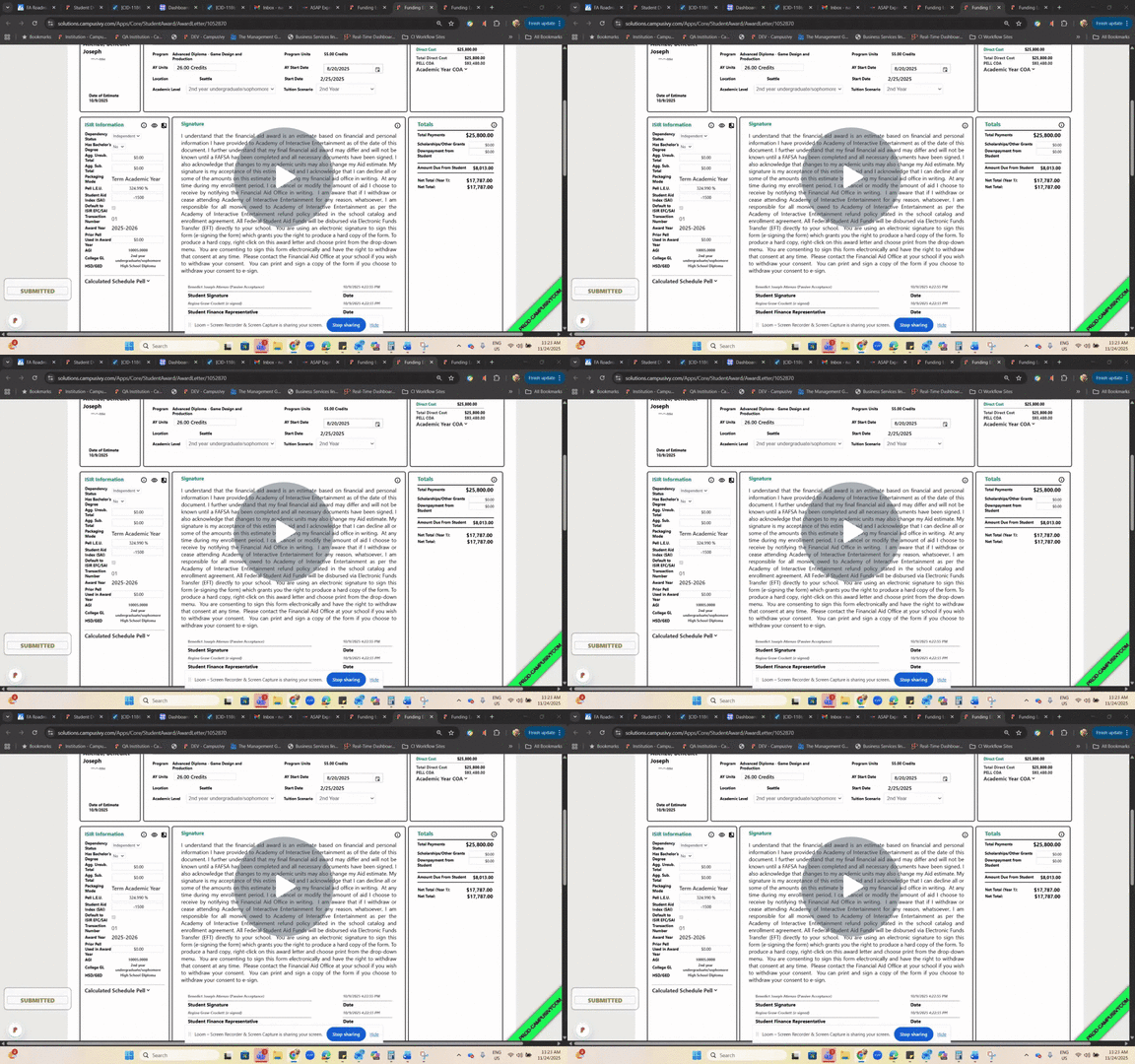
See a brief video walkthrough to learn more:

Bank Statement Upload – Changes to the UI
Incremental gains to a much bigger picture, one upload at a time.
What It Is
Portico Financial Aid software (CORE) now automatically sends reminder emails to institutions prompting monthly bank statement submissions. Alongside this, we’ve made UI improvements to the Bank Statement Upload screen to provide clearer status indicators and a simpler upload process.
Who It’s For
Institutional Finance Teams, Reconciliation Specialists, FA/Finance Operations Staff
Problem Solved
Missed submissions, manual reminder emails, and unclear upload workflows leading to reconciliation delays.
Why It Matters
- Ensures timely submissions each month
- Reduces the administrative burden on both schools and Portico reconciliation teams
- Improves compliance readiness and audit documentation
- Enhances visibility into what’s been submitted and what’s still outstanding
Details
Automated Email Reminders
- Sent on the 1st, 16th, and final day of each month
- Messages increase in urgency as the deadline approaches
- Notification recipients are pulled from Institution Preferences
- Once a statement is uploaded, remaining reminders automatically stop
UI Enhancements
• Updated layout for bank statement uploads
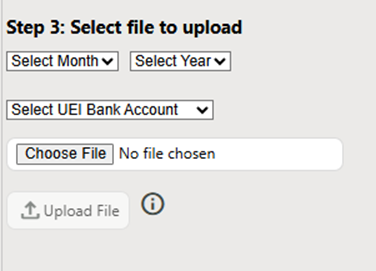
• More intuitive file-upload workflow with visual confirmation
• Designed to support upcoming reconciliation features in future releases

Funding Estimate Change History
Full transparency into changes made to a student’s funding estimate
What It Is
A new Change History panel that tracks all modifications made to a student’s funding estimate—including what changed, when it changed, and who updated it.
Who It’s For
Financial Aid Administrators, Auditors, Compliance Officers, Operations Managers
Problem Solved
Lack of visibility into past edits, difficulty troubleshooting discrepancies, and limited audit-readiness around funding estimate changes.
Why It Matters
- Provides reliable historical tracking for compliance and QA
- Speeds up troubleshooting when award amounts differ or change unexpectedly
- Helps staff understand how a student’s financial aid package has evolved over time
- Supports internal audits, compliance reviews, and documentation requirements
Details
According to the SOP visuals and descriptions (pages 1–8):
- Access the feature from the Funding Estimates section on the student record
- Select the “history” icon at the top of the funding estimate view
- A detailed grid appears showing:
- The field that changed
- Old vs. new values
- Date/time of change
- User who made the update
- Users can expand the grid using the column-header ellipses to track additional fields such as:
- Loan period start/end
- Cost of Attendance
- Miscellaneous funding sources
- Column headers automatically update as fields are added
- Ideal for record-keeping, compliance reviews, and understanding changes across payment periods
- Includes built-in filters to narrow results by date or funding type

We’d love to hear from you and your colleagues about product feedback or what you'd like to see next.
Sign up to participate in future product feedback sessions or early design reviews.
Was this article helpful?
That’s Great!
Thank you for your feedback
Sorry! We couldn't be helpful
Thank you for your feedback
Feedback sent
We appreciate your effort and will try to fix the article